Solutions › Automatic Card Updater

Stop Losing Recurring Revenue to Expired Cards

Cards on file update automatically when they're reissued or expire, so subscription and recurring payments don't quietly fail.

Get Your Free Statement Review
Card Updater

The Silent Revenue Leak

A card expires, gets reissued after a fraud alert, or simply hits its renewal cycle — and the next recurring charge just... fails. There's no error message pointing at the real cause and no automatic flag; just a customer who quietly stops paying until someone on your team happens to notice the gap in revenue. For a subscription or membership business, that's not a one-time miss — it's every future charge on that account failing silently until somebody catches it. Automatic Card Updater closes the gap before it opens:

On a subscription base of any real size, a small percentage of cards expiring every month adds up to a meaningful, entirely preventable drag on recurring revenue — the kind of leak that stays invisible until you go looking for it. An automatic card updater for recurring billing is built to catch it before it costs you anything.

Common Challenges

Common Recurring Revenue Leaks

The same five issues come up again and again for businesses without an automatic card updater in place.

Recurring Charges Failing With No Warning

Revenue disappearing silently, with no alert until someone notices the gap.

Customers Unaware Their Card Expired

No proactive notice before a charge fails, so the first sign of trouble is a declined payment.

Manual Outreach to Re-Collect Card Info

Awkward, low-response-rate emails asking customers to re-enter their card.

No Visibility Into Which Accounts Are at Risk

Finding out only after a payment has already failed.

Lost Subscribers From Preventable Failures

Churn that has nothing to do with the product or service — just an out-of-date card.

Built For Your Business

We Work With Businesses Like Yours

From boutique retail to industrial distribution, Argent adapts to how your business actually accepts payments — not a one-size-fits-all setup. Every industry below gets its own processing setup, priced and built around how that business actually runs.

Boutique retail store checkout counter

Retail

In-store and online payment processing that keeps up with however you sell.

  • In-store, online, and BOPIS orders under one system
  • Barcode-scanning POS & SKU-level inventory sync
  • Built to handle holiday volume spikes
Boutique & SpecialtyMulti-LocationE-Commerce
Bright contemporary restaurant dining room

Restaurants

Table-side, counter, and online ordering, all under one processor.

  • Online ordering integrations
  • Tip adjustment support
  • Fast funding options
Quick-ServiceFull-ServiceBar & Nightlife
Technician servicing a home heating unit

Field Services

Get paid on the job site with mobile and virtual terminal options.

  • Mobile & virtual terminal payments
  • Job-site invoicing
  • Recurring service billing
HVAC & PlumbingContractingHome Services
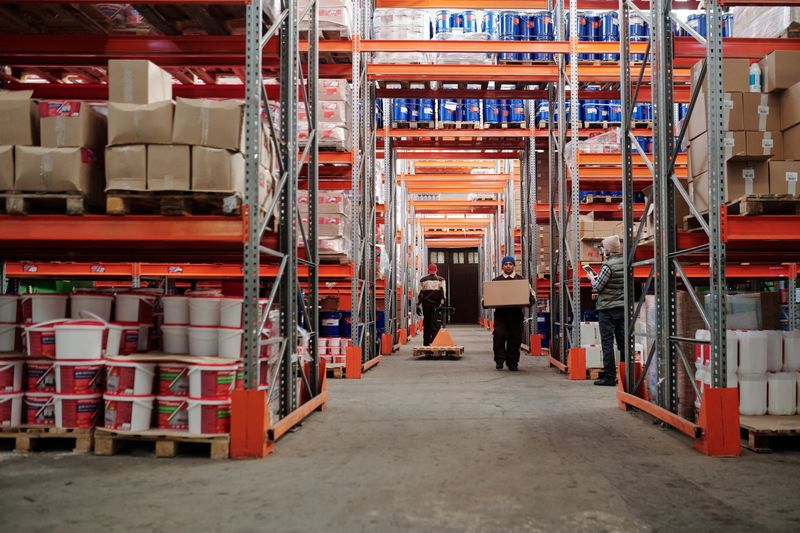
Warehouse workers moving inventory between shelving aisles

Distribution

Lower-cost ACH processing built for larger B2B transactions.

  • ACH acceptance for large orders
  • ERP integrations
  • Accounts receivable automation
WholesaleB2B Supply
Dental clinic treatment tray

Healthcare

Secure, PCI-compliant payment collection for patient balances.

  • PCI compliance assistance
  • Recurring billing
  • Patient payment plans
Medical PracticesDentalSpecialty Clinics
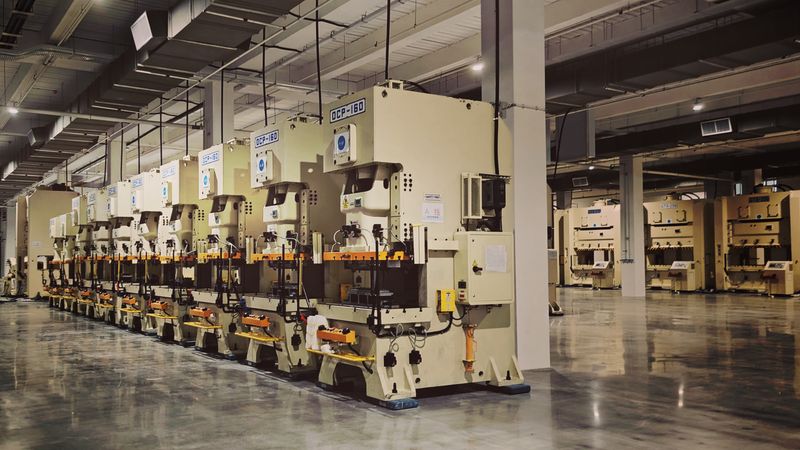
Row of industrial fabrication machines on a factory floor

Manufacturing

Payment processing that matches your purchase order cycle.

  • Purchase-order aligned billing
  • ACH for large B2B orders
  • Net-terms invoicing support
Custom FabricationIndustrial Supply

See What Failed Payments Are Costing You

If you're running recurring billing without this, it's worth checking how much you're actually losing to failed payments. Send your last statement and let's talk.

Get Your Free Statement Review Transparent Pricing · No Long-Term Contract · PCI DSS Compliant · A Real Person On Your Account
Questions

Card Updater FAQ

How It Works & Setup

Do I need to do anything to enable Card Updater?

Card Updater works automatically for cards stored in Customer Vault — there's no separate setup step or opt-in required once your recurring billing is configured.

How quickly does an updated card get applied?

Updates typically sync ahead of the next scheduled billing cycle, so the refreshed card is in place before a charge is attempted, rather than after a failure.

Does Card Updater work with every card issuer?

It works through the Visa and Mastercard update programs, which cover the large majority of issued cards. Some smaller or specialty card issuers may not participate in either program.

Will I be notified when a card is updated?

Yes — updates are visible on your account dashboard, so you can see which accounts were refreshed rather than only noticing when a charge succeeds or fails.

Does this work for both ACH and card payments?

Card Updater is specific to card payments through the card network update programs. ACH doesn't have an equivalent automatic update mechanism, since bank account changes work differently than card reissues.

Pricing & Coverage

Is there a fee for using Card Updater?

It's included as part of the Customer Vault pairing rather than billed as a separate line item on your statement.

How much recurring revenue does this typically save?

It varies by business and subscriber base, but failed payments from expired cards are one of the most common and most preventable sources of subscription churn. Send us your current failed-payment rate and we can estimate the impact.

Does an updated card change my processing rate?

No — the transaction is still priced as a standard recurring charge once the updated card processes; there's no separate rate for updated versus original cards.

Is Card Updater worth it for a small subscriber base?

Even a small number of preventable failed payments can add up over a year, so it's generally worth having enabled regardless of subscriber count, since there's no separate fee to turn it on.

Does this apply to one-time purchases too, or only recurring billing?

Card Updater specifically applies to cards stored in Customer Vault for recurring or repeat billing — one-time purchases don't have a stored card to update.

Support & Security

Is it safe for a card to update without the customer re-entering it?

Yes — the update happens through the card network's own secure program, and the new card details are tokenized the same way as the original, without ever exposing the raw number to your systems.

What happens if a card is closed entirely rather than reissued?

If a card is closed rather than replaced, there's no new card for the network to provide, so the next charge attempt will fail and require the customer to provide new payment details directly.

Who do I contact if I think an update didn't apply correctly?

You'll have a named point of contact on your account team who can look into a specific account directly, rather than a general support queue.

Can I see a history of which cards have been updated over time?

Yes — your dashboard maintains a record of card updates, which is useful for understanding churn patterns tied to payment failures versus other causes.

Does Card Updater affect PCI compliance?

No — since updates flow through the same tokenized storage as your original card data, your compliance scope doesn't change as a result of using it.

Related

Explore More